Compendium
Trails in the Sky 2nd Chapter — Displaying Enemy Details: Tutorial
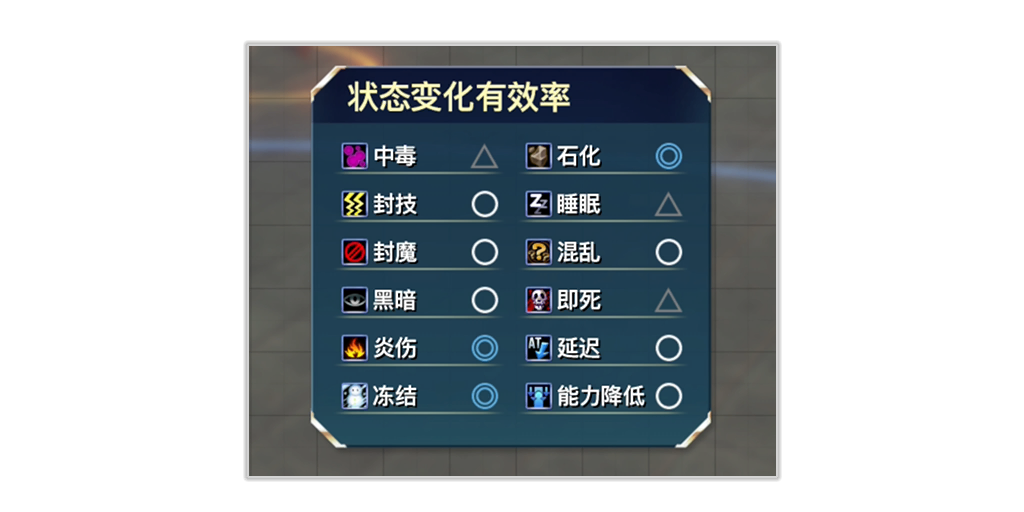
Use [control button] to display enemy details. You can view various stats, elemental weaknesses, and status ailment effectiveness. *Items and supplementary info are revealed upon stunning or defeating the enemy.
Trails in the Sky 2nd Chapter — Steps
- Use [control button] to display enemy details. You can view various stats, elemental weaknesses, and status ailment effectiveness. *Items and supplementary info are revealed upon stunning or defeating the enemy.
Caution:Controls vary by device and settings. Follow the in-game prompts or tutorial images below.
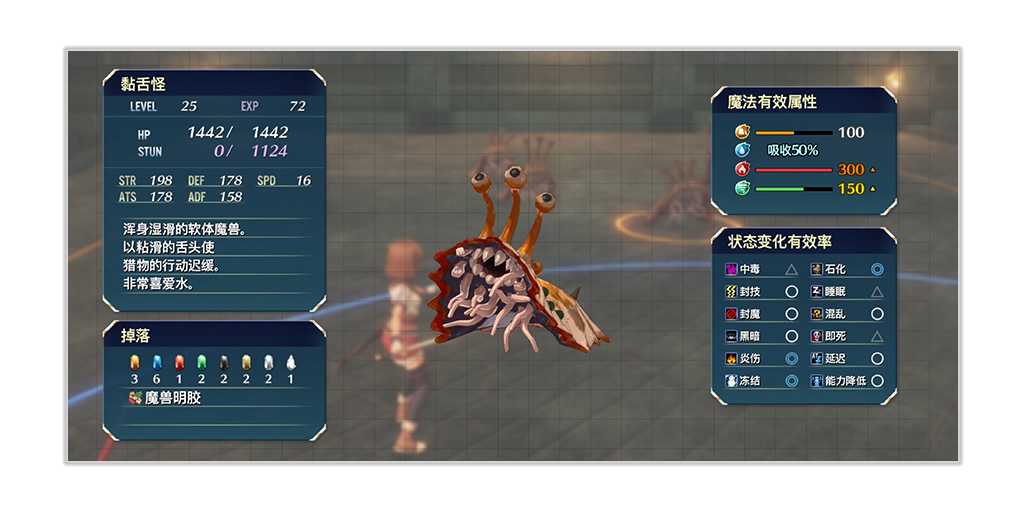
- [game symbol]Highly Effective / Double Chance [game symbol]Effective / Normal Chance [game symbol]Resistant / Half Chance [game symbol]Immune - No Effect *Strong enemies and bosses have higher resistance.