Use and acquisition
What to do when you encounter it
1. Prepare a Construction Hammer using its recipe, bring usable building blocks and return to a permitted building area.; 2. Equip the hammer and use “Enter Building Mode”. If the stair shape is available, select the preview matching this page’s type; a shared title alone does not identify the shape.; 3. This shape uses the ordinary building-material pool. Choose an unlocked material you possess; you do not need every listed material. Check the current preview for the actual cost.; 4. Rotate the preview horizontally to align its bottom with the starting platform and its top with the destination floor, then place it. Supports snapping to stairs, foundations and ceilings; snapping alone does not prove an unobstructed route.; 5. Check the entrance, bend, top opening and headroom before extending the floor. If the shape is unavailable, its unlock condition has not been established here; do not farm for a finished staircase item.
What it does
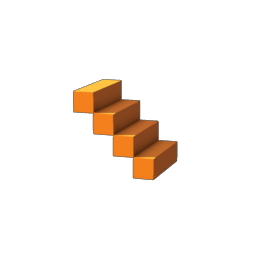
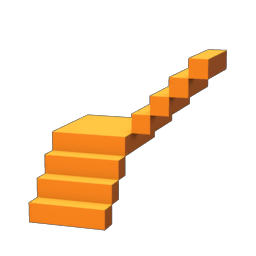
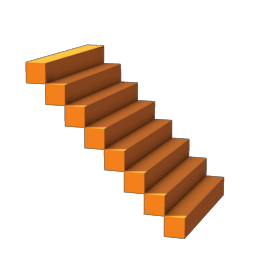
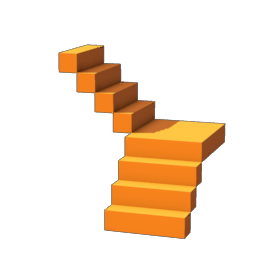
This is a construction-shape blueprint, not a finished staircase that must be found separately. The three 4 × 4 × 4 stair shapes contain different blueprint data. Straight, corner and inverted corner are editorial descriptions of their local shape identifiers; menu order and icon mapping have not been tested in-game.
Compare variants
Choosing a same-name variant
Equal bounds do not mean equal shapes: choose straight, corner or inverted corner using the preview orientation. A shared material pool does not imply an equal placement cost.
Basic information
In-game name
Stair
Category, level and stack
Category: Blueprints; Rarity: Common; Stack limit: 1; Slot: Building slot
How to use it
Where to select it
Access: the building menu. Select a shape or surface tool, then its material. This entry is not presented as a collectible finished object.
Building and placement steps
1. Select this shape or tool in the building menu.; 2. Choose an available building material below and align the placement preview.; 3. Use “Build” to apply the preview; use Remove when needed.; Placement requires a permitted building area.; This item cannot be placed in the Shroud.
Placement requirements
Space to allow
Placement bounds ≈ 4 × 4 × 4 m (width × height × depth). These configured placement bounds may include padding; they are not exact visible model dimensions. Check the building preview.
Available building materials
Material choices: Mycelium Overgrown Block, Red Marble Block, Ectoplasm Block, Hollow Halls Block, Yellow Luminescent Block, Starlight Block, Midnight Tomb Block, Fired Bricks Block, Shroud Wood Block, Palm Wood Block, Tarred Wood Block, Weathered Stone Block, Regular Sandstone Block, Rough Sandstone Block, Refined Sandstone Block, Highly Polished Stone Block, Desert Temple Block, Well Block, Castle Wall Stone Block, Mixed Sandstone Block, Rough Stone Block, Rough Wood Block (Workbench), Roughly Cut Stone Block, Half-Timbered Block, Ornate Wood Block, Citywall Block, Limestone Block, Fancy Stone Block, Regular Stone Block, Refined Wood Block, Refined Stone Block, Weathered Ancient Stone Block, Ancient Dungeon Block, Desert City Wall, Metal Block, Bronze Block, Copper Block, Iron Block, Rough Flintstone Block, Blue Luminescent Block, Bone Block, Green Luminescent Block, White Luminescent Block, Brick-Timbered Block, Obsidian Block, Conifer Wood Block, Polished Granite Block, Granite Block, Temple Stones, Plaited Block, Castle Block, Drak Temple Block, Bamboo Wood Block, Half-timbered Shell Limestone Block, Shell Limestone Block, Red Carpet Block, Moonstone Block, Ancient Beacon Block, Ancient Stone Block, Ancient Circles Block, Ancient Gold Block. Select one; this is not a list of simultaneous ingredients.; Check the building preview for actual consumption and unlocked materials. The default material is not treated as an exclusive recipe.
How to obtain it
Unconfirmed details
The acquisition route for this variant is unconfirmed.
Basic stats and details
Category: Blueprints
Rarity: Common
Crafting: Crafting unconfirmed
Crafting ingredient: Crafting use unconfirmed